
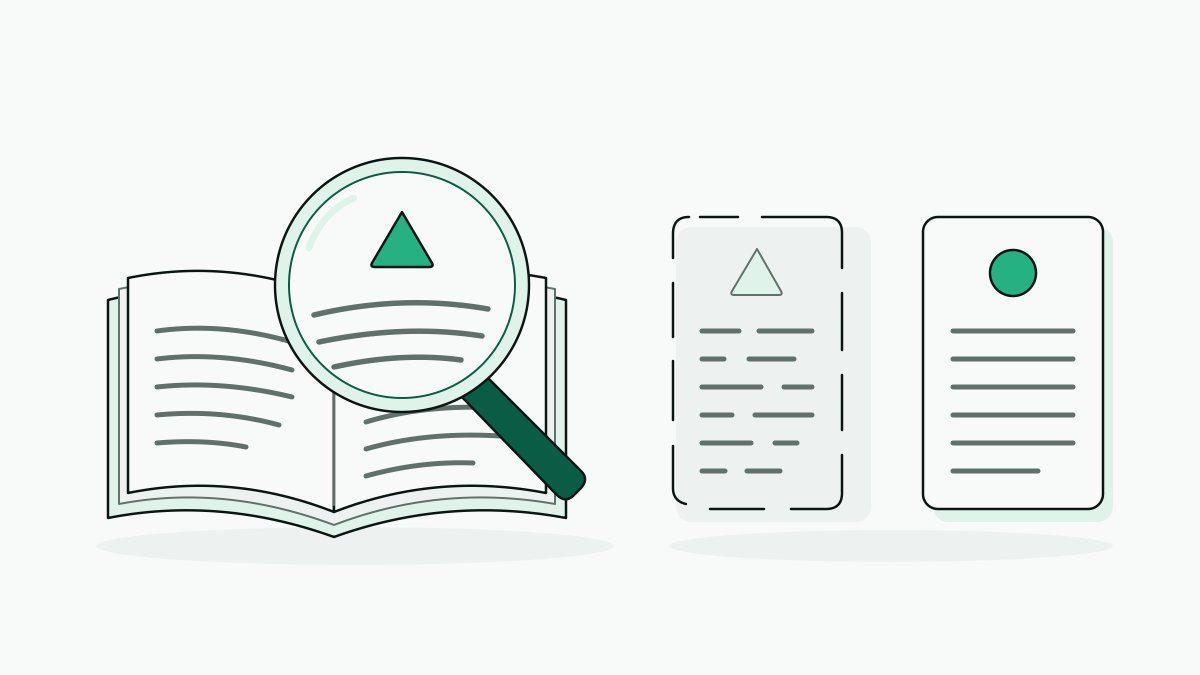
Translation can fail when a tool cannot read your book file or changes the text’s meaning. To find the cause, check the original EPUB or PDF for file problems. If the file is fine, read a translated passage side by side with the original. Look for places where the meaning has changed.
Is the problem in the file or the translated meaning?
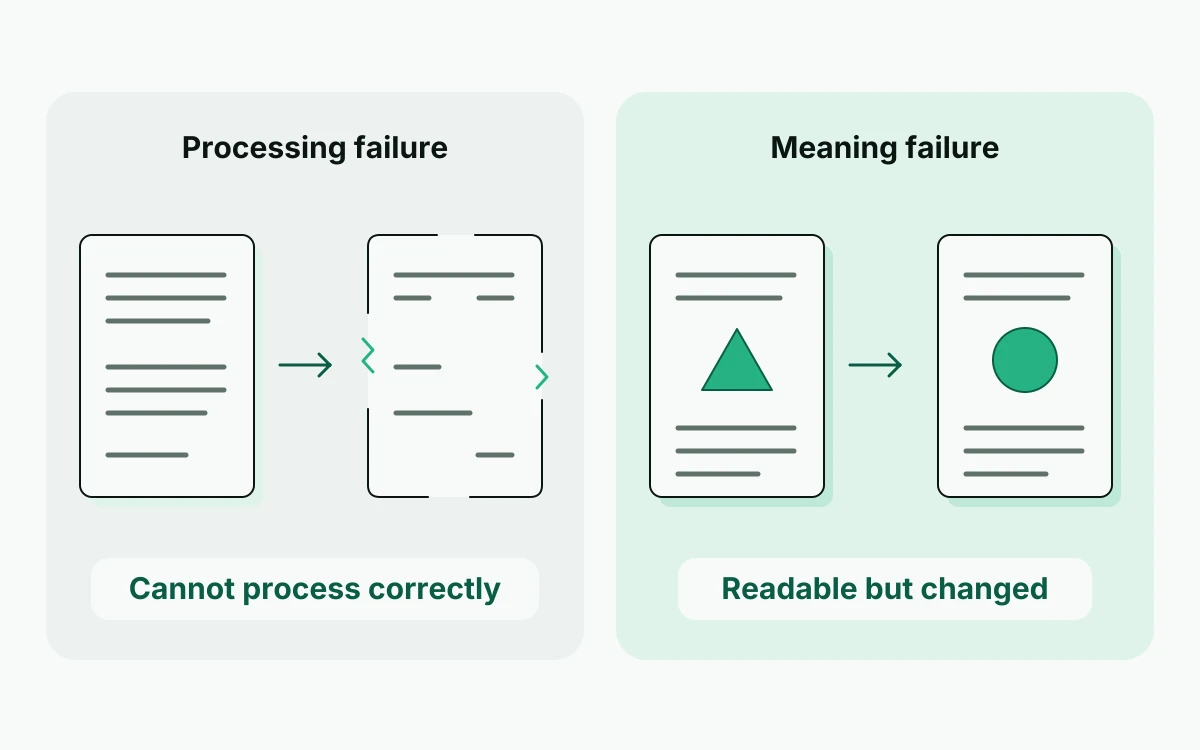
A processing failure means the tool cannot read the text, translate it, or rebuild the book correctly. A meaning failure changes or loses the original meaning, even if the file opens and reads well.
A book goes through three stages: the tool reads the text, translates it, then rebuilds the chapters and layout. A paragraph can go missing when the tool reads the file or rebuilds the book. An error message alone will not tell you where things broke.
An EPUB holds text arranged in book sections. A PDF stores pages. Pulling text from those pages can mix up headers, columns, and paragraphs. Scanned pages first need text recognition, which turns pictures of words into readable text. If your translation tool uses EPUB, you need to convert the PDF before translating it. DualBook works on EPUB files, with free converters for PDF, MOBI, and Word files.
A short passage can help you find the problem:
- Look at the source text. If a PDF paragraph copies as scattered lines or scrambled words, the text was read or converted incorrectly. That needs fixing before you can judge the translation.
- Check what reached the translated chapter. Missing text or headings in the wrong place suggest a problem with how the tool processed the file.
- Once both passages are readable, compare their meaning. The translation needs review if it changes who is speaking or what they mean.
Machine translation can struggle with cultural context: a respectful form of address may become a casual greeting. Correct grammar will not reveal that loss.
Troubleshoot one chapter before retrying the whole book
If the EPUB will not open or the translation job stops, first open the original in an independent reader. For an EPUB, run an EPUB validator such as EPUBCheck. It checks the book’s structure and reports errors you can repair. For a scanned PDF, confirm that text recognition (OCR) produced usable text by copying a paragraph into a text editor.
Repair source errors first, then retry a small, valid chapter. If the source opens correctly but the job still fails, check the service’s supported formats, file limits and error message. Correct any format or size mismatch before retrying. If the failure continues, send support the error message and details of the file and failed job.
If the job finishes but the meaning is wrong, work on a copy of the affected chapter. The steps below help you separate source-text problems from translation errors.
- Keep an untouched source copy, with
novel-original.epubseparate fromnovel-repair.epub. If your source is a PDF, keep that original too. You can then check any converted text against the page. - Read the affected chapter in the source file, especially the sentences around the error. Missing sentence endings or misplaced punctuation can change how a translator reads the text. So can a phrase that leaves it unclear who or what it describes. Repair only what you can check against the original; do not guess at missing words.
- Translate a passage that is easy to read, with enough surrounding text to make sense. You may need the paragraph before and after it to show who is speaking or what they mean. A line on its own can lose the clue that explains it, making translation harder. A general translation engine or chatbot can handle this passage check. A whole-book translator is more useful when you return to keeping the translation consistent across chapters.
- Compare the test translation with the earlier version. If adding surrounding text fixes the error, use that context for the chapter retry. Record recurring names and chosen terms in a glossary, a list of approved spellings and translations.
If the passage now reads correctly, try the repaired chapter next. If the same meaning error remains, record the source sentence and its intended meaning. Do this before spending time or translation credits on another full-book attempt.
A Spanish passage that sounds fluent but means something else
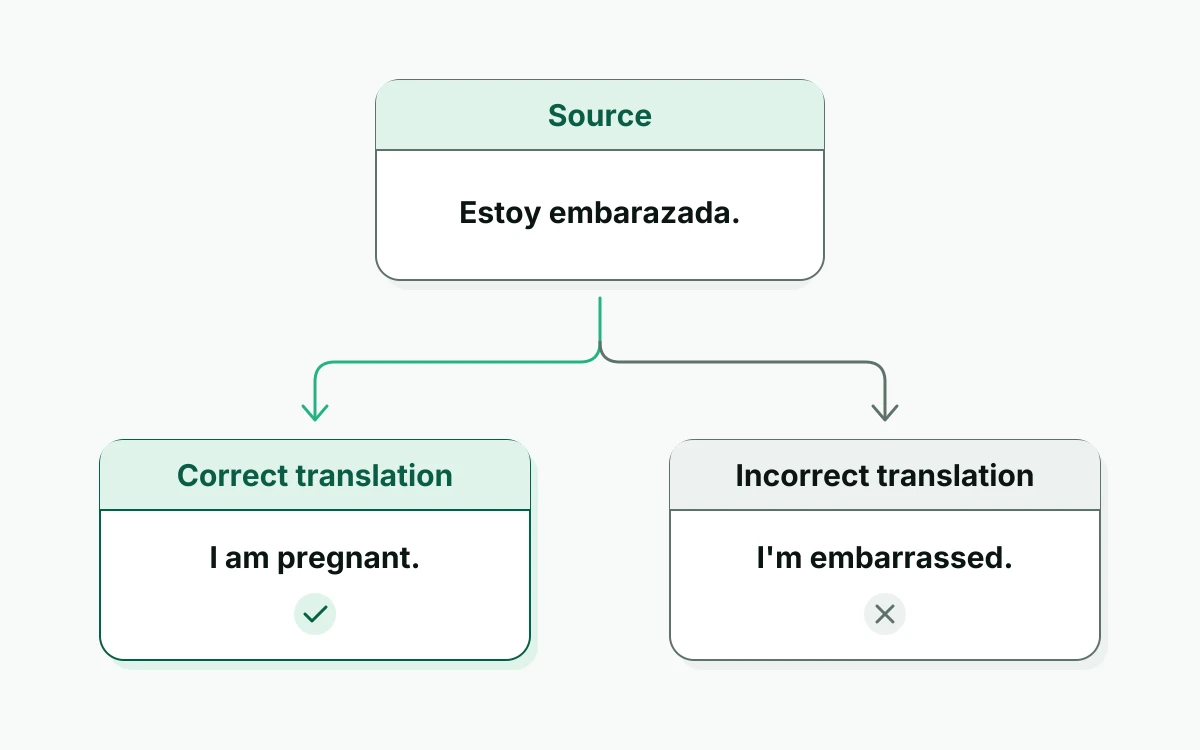
For example, use chapter-one.epub with the translation direction set to Spanish–English:
| Source | Correct translation | Incorrect translation |
|---|---|---|
| “Estoy embarazada.” | “I am pregnant.” | “I'm embarrassed.” |
This is an example of the error, not a measured result from a tool. The wrong version replaces pregnancy with embarrassment. That changes what you understand about the character.
False friends are words that sound alike in two languages but mean different things. Spanish embarazada and English embarrassed are one such trap. Machine translation can assume these words share a meaning because they sound alike.
For chapter-one.epub, record “pregnant” as the correction. Later references to the character’s pregnancy should use the same meaning.
Mistakes to catch before accepting the repaired chapter
Before accepting the repaired chapter, check names, dates, layout and words that say what must not happen. Errors in these can survive a repair and still read smoothly.
- Machine translation can mistake personal names for ordinary words. “Dolores del Campo” should stay a person’s name, not become “Pain of field.” Check each name against your glossary. Include chosen transliterations: spellings that carry a name’s sounds into another writing system.
- The date
03/04/2013means March 4 in US month-first order, but 3 April in UK day-first order. The surrounding text in the source should help you confirm the intended date. Avoid guessing without saying so. Spelling out the month can make it clearer for your target readers. - In the repaired EPUB, compare headings, paragraph order and footnotes with the original. Footnote markers, such as numbers beside the text, should lead to the right notes. Section breaks also need a check for missing text. A chapter that opens successfully may still have lost a paragraph.
- Compare words such as “not,” “never,” “unless” and rules that forbid something against the source. A notice forbidding disposal down a toilet has been translated into the opposite instruction. Even a sentence that sounds natural needs this check: who must do what, and who must not?
Choose the next step for reading or publication
Switch tools if a different kind would better handle the problem that remains.
Choose your tool based on the work still needed:
- General translation engines and chatbots suit passage-level work with chapter context and your glossary.
- Browser extensions, tools that run in your browser, suit reading a webpage right away. Checking a web novel chapter is one example. A damaged EPUB needs a tool that works on files instead.
- Desktop converters, programs that change file types, handle file preparation. For example, they can convert
novel.pdftonovel.epub. Check the chapter order and paragraph breaks before paying to translate the result. - Whole-book translators suit chapter-by-chapter work. DualBook translates EPUB files and keeps names and terms consistent in later chapters.
Keep free conversion separate from translation and review costs. A free converter may only prepare the file. A paid translation service may still leave proofreading to you. Before committing, ask what the total covers: translation, retries, glossary corrections, formatting, export (saving the finished file) and professional review. Check exactly what you get for free or for your payment. Tools of the same kind can charge in different ways.
For personal reading, you can accept a checked translation with unclear passages still marked. Those marks let you refer back to the original. For publication, give a professional translator the original text, translated EPUB, glossary and marked passages. Have them compare the translation with the original, then proofread the final EPUB. Include the cost of that review in your publication budget.