Kindle book translator
A Kindle can translate the word you highlight. It cannot translate the book. DualBook does: upload a DRM-free MOBI or AZW3 file, pick one of 30 languages, and get the whole book back as an EPUB — translated, or bilingual paragraph by paragraph — ready to send to your Kindle.
The guide
People search for a Kindle translator for two different reasons: to understand a word or a line while reading, and to read a whole book in a language they read better. The Kindle handles the first. This guide is about the second — which Kindle files can be translated, why bought books usually cannot, and how to get the translated book back onto your Kindle.
On a Kindle, select a word or a passage and the menu offers Translation. It translates that selection — a word, a sentence, a short paragraph — and shows it in a pop-up. It is useful for a phrase you are stuck on, but it works one selection at a time: there is no way to have the book itself appear in another language.
To read a whole novel in your language, the book has to be translated as a book: every chapter, in order, into a new file. That is what DualBook produces.
Which Kindle files DualBook can open, and why bought books are usually locked.
| Format | What it is | Can DualBook translate it? |
|---|---|---|
| MOBI | The older Kindle format, still common in free libraries | Yes, if DRM-free |
| AZW3 (KF8) | The newer Kindle format, with better layout | Yes, if DRM-free |
| AZW / KFX from the Kindle Store | Amazon's formats for books you buy | No: DRM-protected |
| EPUB | The open ebook standard | Yes |
| Fixed-page documents | Yes, if its text can be selected |
Books bought in the Kindle Store are encrypted with DRM, which only Amazon's devices and apps can open. DualBook does not remove DRM and never asks you to.
Plenty of Kindle files are DRM-free, though:
Not sure whether a file is DRM-free? Open it in the free AZW3 reader or MOBI reader: if it opens there, DualBook can translate it.
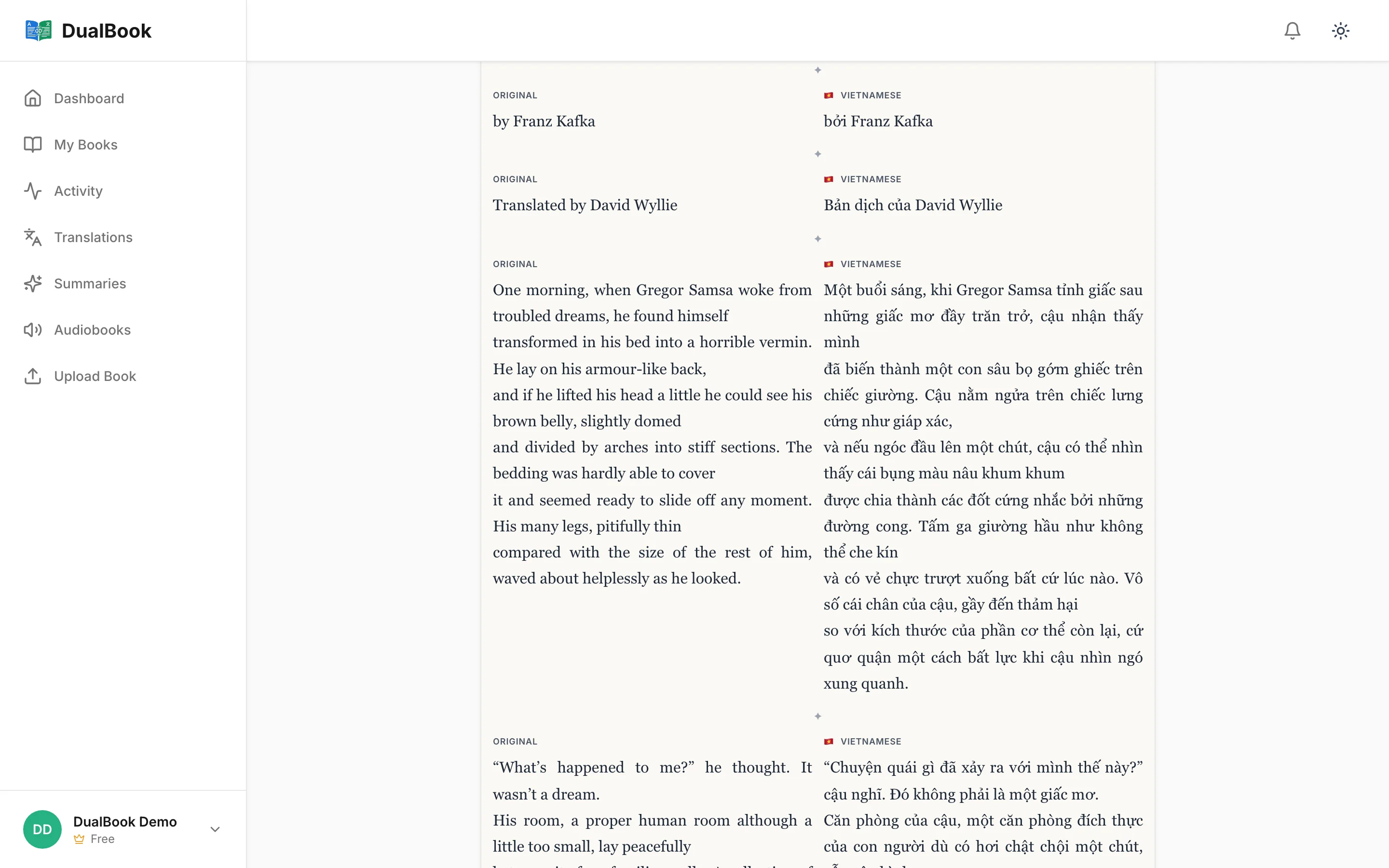
Send the bilingual EPUB instead of the translation and each paragraph of the original is followed by its translation. It works on any e-ink Kindle and needs no app: read the language you are learning, and glance down when a sentence loses you. A slightly smaller font size keeps both versions of a paragraph on one screen.
Kindle translation
Formats, files and what you get back
Something else?
Contact usAmazon's Send to Kindle takes EPUB and converts it for every Kindle, while it no longer accepts MOBI. EPUB also opens in Apple Books, Google Play Books and every other e-reader.
Yes. The text is translated paragraph by paragraph and the chapter titles stay in place, translated with the rest.
30 languages in any direction, including English, Vietnamese, Spanish, French, German, Portuguese, Japanese, Korean and Chinese.
Yes. Upload the MOBI or AZW3 in the DualBook iPhone app or in the web app in Safari, then share the EPUB to the Kindle app or to Send to Kindle.
The first 20% of every book is translated free. Whole books are part of a plan, from $4.99 a month.
Yes, free and in your browser: use AZW3 to EPUB or MOBI to EPUB.
Try it with your own Kindle file
No card required. Choose the MOBI or AZW3, pick a language, and start reading in about a minute.