
Use a document translator for German to English when you need a copy to read. If the recipient needs a certified translation, use a professional translation service.
For a whole book, the steps depend on your file type. You can convert PDF and Word files to EPUB, an ebook format, for chapter-by-chapter translation. The translated book won’t match the original page for page.
The steps below show how to turn your German book file into a readable English copy. They include a sample translation and details to check side by side. What you check depends on how you plan to use the translation. A copy for reading, a draft for publication and a document for official submission each have different requirements.
What happens to your German text, file and layout
Translation changes the language. Conversion changes the file format. Converting German-book.pdf to German-book.epub leaves the text in German until you translate it.
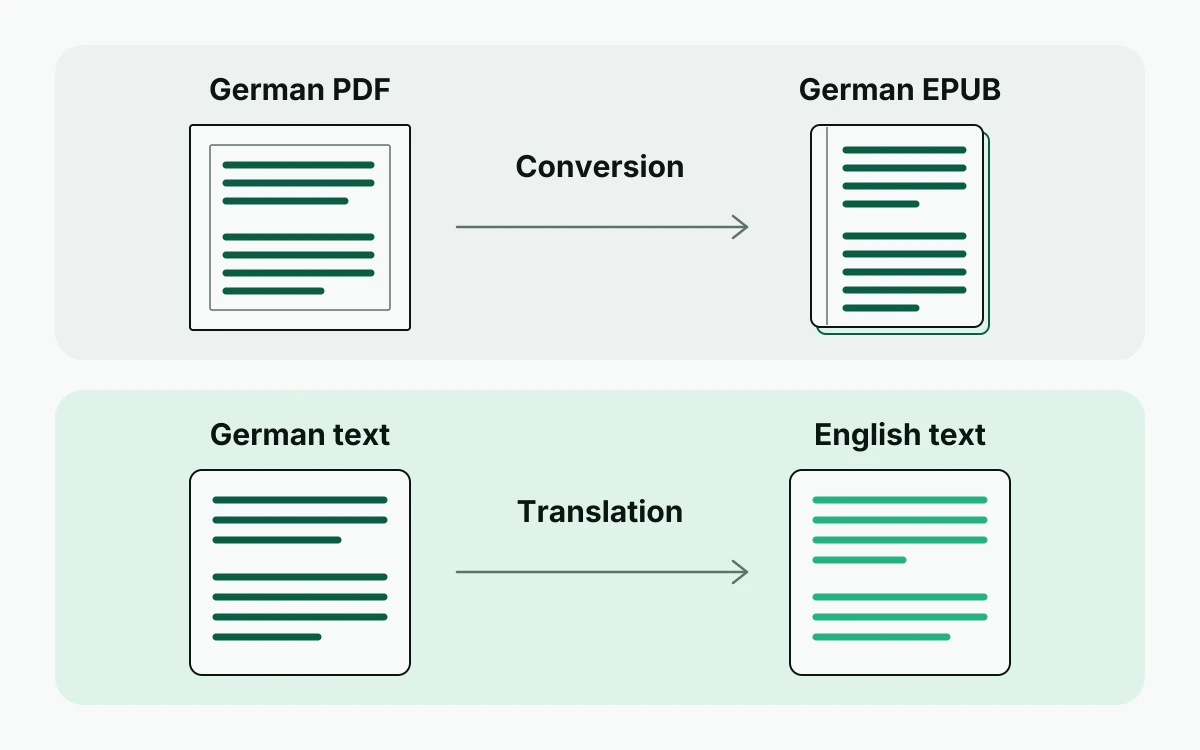
EPUB text wraps to fit your screen. A PDF keeps content in fixed places on each page. A converter must work out the reading order from where the text sits.
Choose the tool for the job you need done:
| Tool type | Best fit | What to check |
|---|---|---|
| General translation engines and chatbots | Passages, short documents and questions about wording | How much text you can translate at once |
| Browser extensions | German text you read on a web page | Whether you need a saved, translated book rather than a translation on screen |
| Desktop converters | Changing PDF, Word or other files into EPUB | Whether it supports your original file format |
| Whole-book translators | Translating a long reading copy chapter by chapter | Whether you can download the result and review text side by side |
A free converter prepares the file for translation and leaves the German text unchanged. Free and paid translation tools both have file limits your book must fit. You also need ways to save and review the translated file. A paid tool may still be a poor fit for your book.
DualBook works on EPUB files and offers free converters for PDF, MOBI and Word files that need conversion first. Even a readable English copy needs an editor to review it before publication.
Turn one German book into an English reading copy
Keep the German original for comparison as you convert and translate your book.
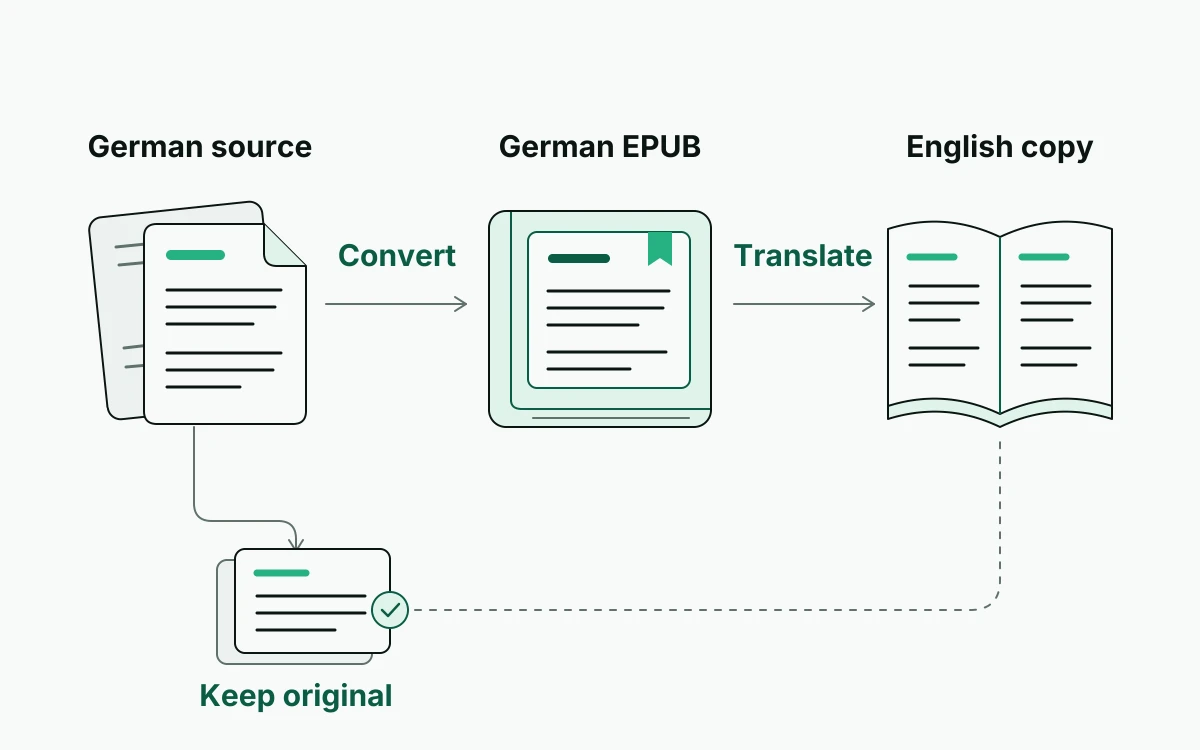
- Convert your German PDF or Word book to EPUB. For example,
Roman-DE.docxbecomesRoman-DE.epub. A scanned PDF with no text you can select needs text recognition first. This turns images of words into text. - Upload the EPUB to a whole-book translator, a tool that translates an entire book. Choose one that translates chapter by chapter and lets you download the result. This saves you from pasting each chapter into a chatbot by hand.
- Set German as the source language, the language of your original book. Choose English as the target, the language you want to read. DualBook supports this language pair and lets you save the translated book as EPUB.
- Download the translated EPUB and open it in an EPUB reader, an app for reading ebooks.
A German sentence translated in a sample EPUB
A usable English translation keeps the sentence’s meaning and voice, with names you can still recognize. It should sound natural without adding details the German never gave.
In Roman-DE.epub, a German paragraph and its English translation could look like this:
German source
“Das kommt mir spanisch vor”, sagte Frau Weiß.
English target
“That seems fishy to me,” said Mrs Weiß.
The German phrase is an idiom: its meaning differs from its individual words. Machine translation can render it literally as “That seems Spanish to me,” losing the speaker’s suspicion. “Fishy” expresses that suspicion in everyday English. The speech stays as speech, and “said” keeps the plain tone of sagte. “Mrs” is one possible translation of Frau here. The rest of the book should guide your choice of English title.
Weiß keeps its ß. A glossary, or list of names and terms, helps keep that spelling the same in later chapters. Umlauts, the two dots above some German letters, should stay in names too.
DualBook translates an EPUB chapter by chapter, keeps names and terms consistent in later chapters, and lets you compare paragraphs side by side in its two-language reader.
This example shows a translation for a reading copy. It is not a tested file or a draft approved for publication.
Catch translation mistakes before approving your book
Use this checklist to review your English copy before reading, sharing or approving it.
- Compare the English meaning with the German source. For idioms like Frau Weiß’s remark, read the surrounding paragraph to check the speaker’s meaning and tone.
- Check that names and terms match your glossary throughout the book, with umlauts and ß readable. Supply any established English names for people, institutions and qualifications. This saves the translator from having to invent equivalents.
- Open the English EPUB, Word document or PDF you will actually read or share. Compare it side by side with the source for missing paragraphs and incorrect chapter order. Check paragraph breaks, columns, footnotes and misplaced page headers too. Request any changes before giving final approval. A reading copy may suit personal study. A publication draft still needs an editor’s review and proofreading to catch remaining errors.
- Standard translation may suit business, personal or informational use. For official submissions, ask whether the receiving office requires a certified translation, which includes confirmation of its accuracy. Ask what form it accepts, too. Requirements vary, and you are responsible for confirming that your translation meets them.