
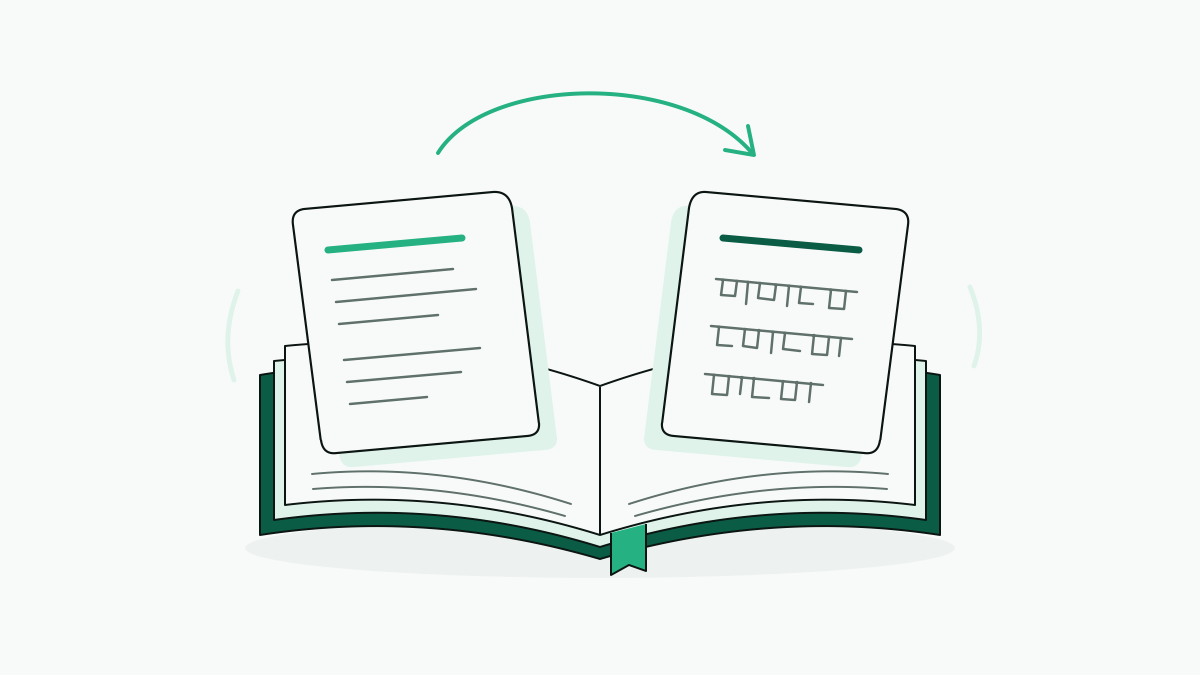
To translate an English PDF into Hindi, upload it to a document translator and set the source language to English and the target to Hindi. Translate the file, then download the result.
If the tool cannot download a PDF, save an editable version and export it as a PDF. Scanned pages need OCR (Optical Character Recognition) first: it turns page images into readable text.
The steps below cover both routes, with a Hindi translation example and checks for the Hindi text and page layout. Before relying on the result for anything consequential, have a person review it.
Choose a route for your PDF’s text and layout
Copy a sentence from your PDF into a text editor to find the right route. If it reads correctly, you can use document translation. An image-only page needs OCR. If the copied text is garbled, you need to fix how it is pulled from the PDF or use OCR.
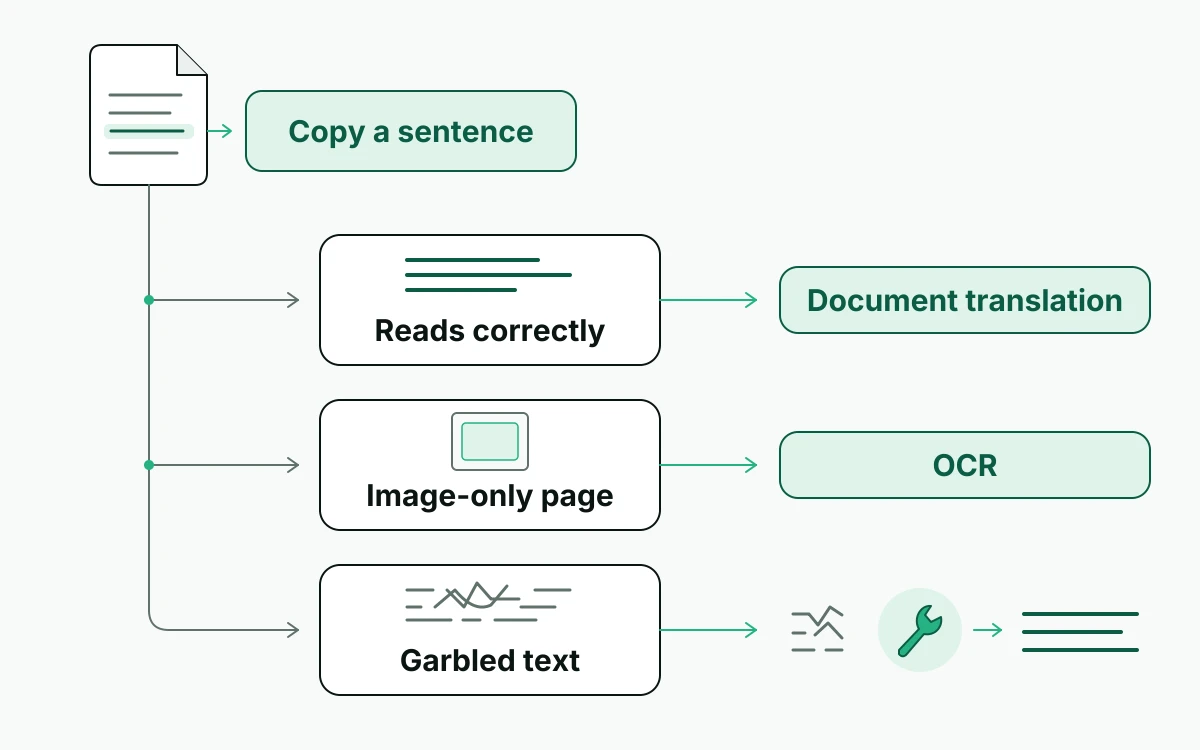
In an example file, chapter-english.pdf, try copying both a paragraph and a table. One may copy correctly while the other loses its reading order.
Translation changes the text, then fits it onto the output pages. Hindi uses the Devanagari script, so line breaks and spacing will differ. You should not expect identical pages.
Choose tools by the job they need to do:
- Document translation engines suit PDFs with text you can select. They let you process the document together. Check which file types they can save before you upload.
- Chatbots suit short passages and questions about wording. Rebuilding an entire PDF from pasted passages adds manual work.
- Browser extensions suit reading translated text in your browser. Check whether an extension works with your PDF viewer and can save the translated text.
- Desktop converters suit OCR, pulling text from a file, and fixing page layout. Conversion alone does not translate English into Hindi.
- Whole-book translators suit working chapter by chapter, often using the EPUB ebook format. Before converting, check that the tool supports Hindi and offers a way back to PDF.
Start with a free option on a page that represents the document. Paid software may be worth considering if the free option lacks the tools you need. These might include document handling, OCR or controls for saving the finished file. Paying alone does not promise better Hindi.
Prepare scanned pages with OCR
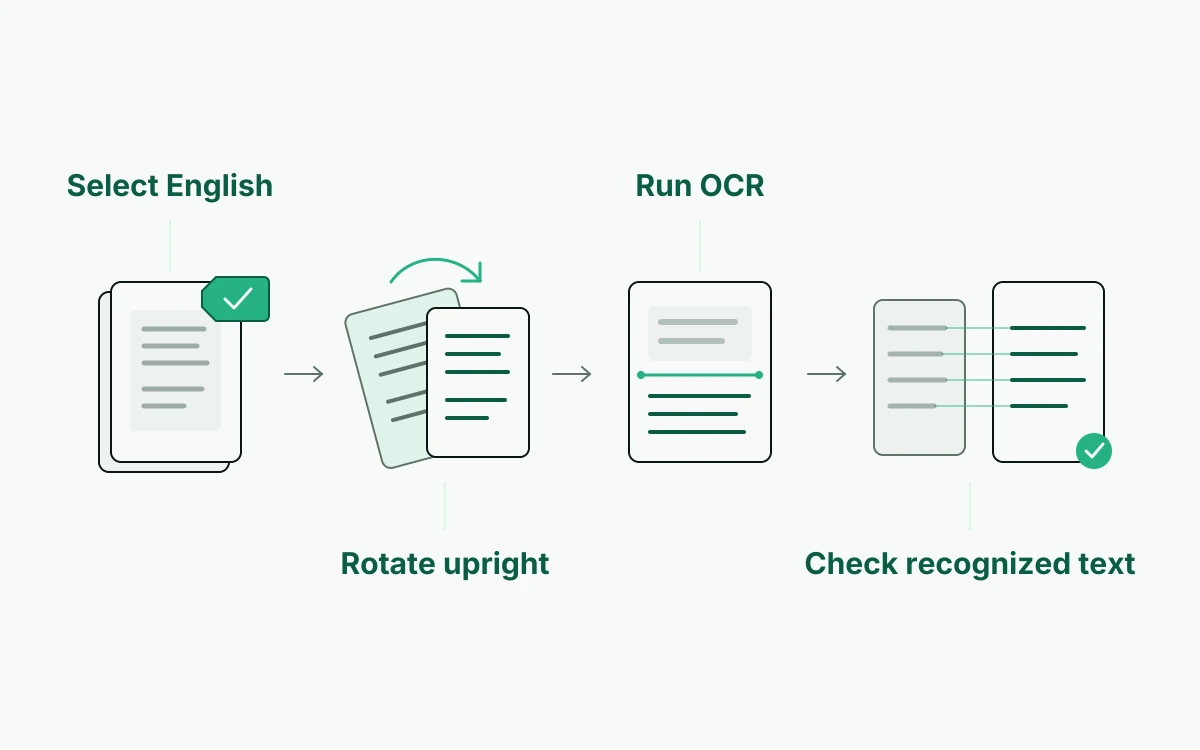
- Open the scanned PDF in an OCR-capable tool and select English as the recognition language. This helps the tool recognize the words correctly.
- Rotate any sideways pages so the text is upright, then run text recognition.
- Check the recognized text against the scan, especially columns, tables, numbers and missing lines. Correct errors before translation so they do not carry into the Hindi version.
- Save the result as a searchable PDF or an editable DOCX (a Word document). Use a format your translation tool accepts.
Translate and download your Hindi PDF
- Upload the English PDF using the option for uploading documents. Your file might be called
study-notes-en.pdf(an example filename). For scanned pages, upload the searchable PDF or editable DOCX saved in the “Prepare scanned pages with OCR” steps above. - Set the languages to English → Hindi: translate from English into Hindi. If the tool spots the original language on its own, confirm that it says English.
- Start the document translation. When it is ready, look at the preview or the file you get back. The Hindi text should be readable, without empty boxes or broken characters.
- Download the PDF if the tool offers that option. Otherwise, save the editable file, such as a DOCX (a Word document). Open it in an editor that supports that file type and fix any obvious layout problems. Depending on the editor, choose Export as PDF or Save as PDF. Open the saved PDF again to make sure the Hindi text still displays correctly.
A sample passage translated into Hindi
A good Hindi translation keeps the sentence’s meaning and uses natural Hindi phrasing. In the finished PDF, an idiom (a phrase with a nonliteral meaning) should make the same point as in English.
For an example file named chapter-01-english.pdf, use English → Hindi settings. The example below shows the intended result. It is not output from a tested file:
English:
After months of work, the plan finally bore fruit.
Hindi:
महीनों की मेहनत के बाद, योजना आखिरकार सफल हुई।
Here, “bore fruit” means that the plan succeeded. The Hindi phrase “सफल हुई” carries that meaning directly. A word-for-word translation about producing fruit could sound as though it describes an actual harvest.
Machine translation can struggle with idioms like this. That is especially true when the surrounding passage gives few clues to their meaning. Reading the English and Hindi sentences side by side helps you check what comes through. The months of effort, the eventual success and the link between them should still be clear.
Check these problems before using the translated file
Fix unreadable Hindi, content in the wrong place and errors in meaning before using the PDF. Check the saved PDF itself. The document you can edit may look fine, while its PDF has broken text or cut-off lines.
- Check the Hindi for empty boxes, missing marks and overlapping characters. Look for awkward line breaks and cut-off paragraphs, too. Numbers in tables need to stay under the right headings. Captions should stay with the pictures or diagrams they describe. English and Hindi take different amounts of space, so some layout changes are normal.
- With the original beside the Hindi PDF, compare names, shortened forms of words and chapter headings. A short glossary, or list of terms, helps you use the same Hindi term throughout. This is especially helpful in a textbook.
- Before serious or official use, compare dates, amounts and units with the English source. Check instructions and negatives, such as “not,” as well. A sentence can read well and still give the wrong instruction. Have a qualified human reviewer settle any unclear wording.
- Hindi text needs professional review before it is ready to publish. A professional translator or translation agency can check the meaning and whether the wording sounds natural. Edits can change where pages end, so check the final PDF for errors after corrections. Before sharing or publishing a translated book, confirm permission with the rights holder. Translating it does not give you the right to publish it.