
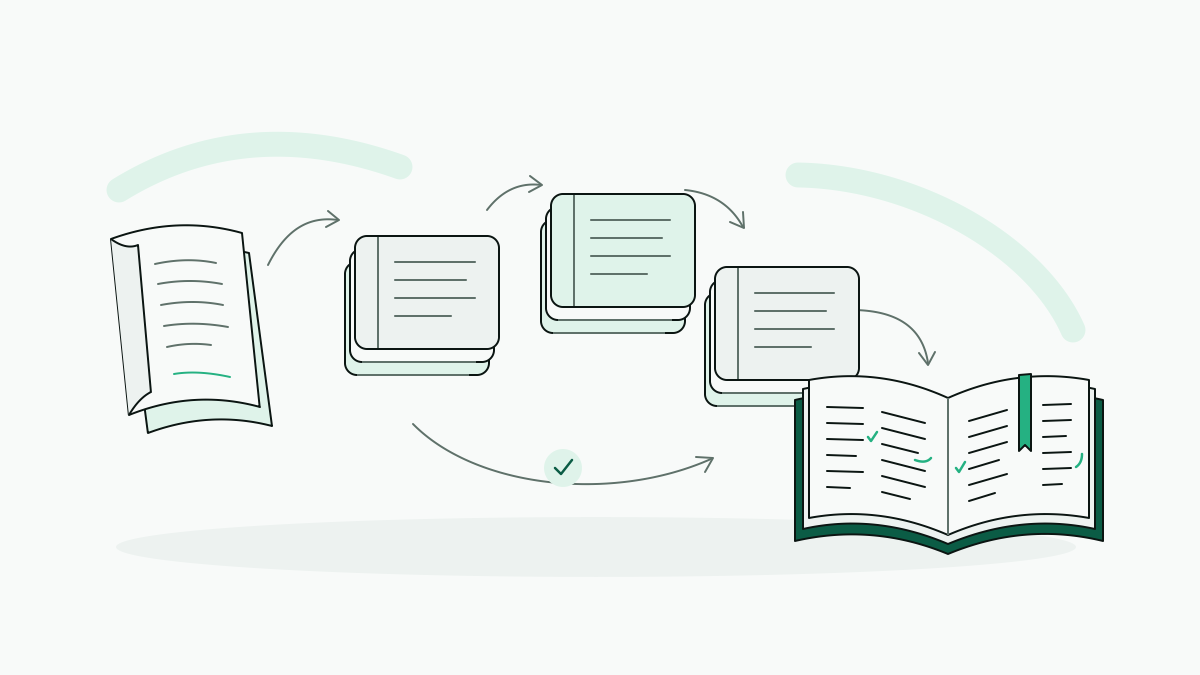
To translate a book with AI, start from readable text, choose the target language, translate chapter by chapter with a shared glossary, and review the result before export. A whole-book EPUB translator takes care of most of the file handling; with a general engine or a chatbot, we end up managing chapters and terminology ourselves.
Whether the book is for reading, study or publication, we get one representative chapter approved before running the rest. The workflow runs from file preparation through a reusable brief and a bilingual sample to final checks, which are what separate a readable personal draft from a translation that's ready to publish.
How to translate a book with AI depends on what the book is for
We pick the tool by the scope of the job. This is a match between tools and workflows rather than a ranking from tests: engines and chatbots suit excerpts, browser extensions suit passages on the web, and whole-book translators suit sustained reading across chapters. Desktop converters prepare files; they don't translate the prose.
Each category leaves its own work to plan for. General engines and chatbots fit translating an excerpt or discussing alternative wording, but we supply the context and check omissions and terminology. Browser extensions fit reading passages on a web page; the work is moving beyond the page to a complete book workflow. Desktop converters fit preparing an EPUB from another format, and then we check headings, paragraph breaks and reading order. Whole-book translators fit translating chapters with continuity, leaving us to review meaning, voice and recurring terms.
DualBook translates whole EPUBs chapter by chapter with consistent names and terms, offers paragraph-aligned reading side by side, and its free plan covers the first 20% of a book.
Before paying for a workflow, we'd also settle how much review the translation needs. For personal reading, a draft we can follow is enough. Study calls for closer checks of definitions and arguments against the source. A translation meant for publication needs revision by a qualified human, since AI output on its own can't approve it for print.
A free trial or plan shows whether a tool fits the job, though the total cost and time only become clear later. Before committing the full book, compare the quality of the sample, the current plan terms and how much human revision the result will need.
Getting an EPUB or a clean manuscript ready to upload
Everything starts with readable text in a format the translation workflow accepts. For an EPUB workflow, that means we convert PDF, MOBI or Word files before uploading them, so novel-es.pdf becomes novel-es.epub.
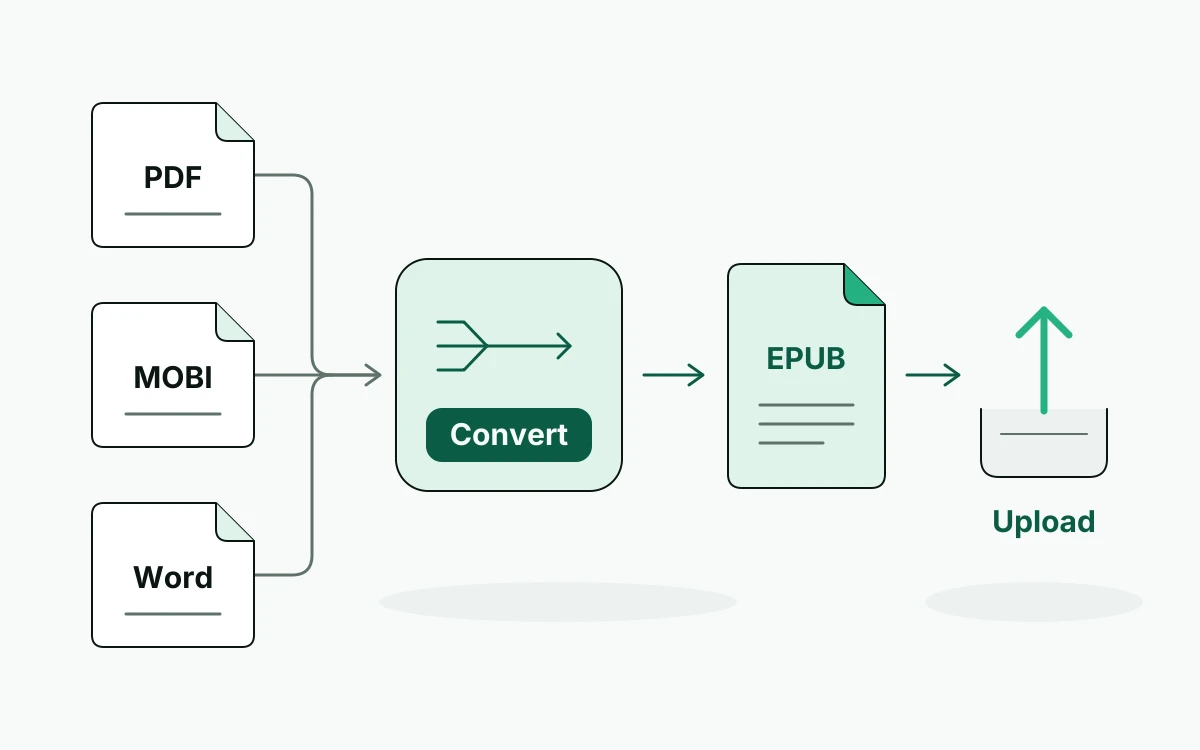
A free converter only gets the file ready; it doesn't translate the prose. A PDF also has to have its text extracted, and its layout will change in the translated book.
- See whether the PDF has selectable text. Scanned pages need optical character recognition (OCR) to turn the images into text, and the extracted text should be compared with the page images for misread letters, missing accents and words run together.
- Clean the manuscript before converting it: take the repeated page headers and footers out of the prose, and fix line-end hyphenation and broken sentences.
- Open the converted EPUB and look over the chapter order, headings and paragraph breaks, since a page break can split a paragraph in two or merge separate passages.
A Kindle book needs an accessible, authorized source file first. A purchased Kindle edition isn't necessarily available as an EPUB, and bypassing DRM to get one is not something we'd suggest.
Testing language, glossary and voice on a single sample
“Translate this book” leaves too many decisions open, so before translating we write down the language pair, the narrative voice and the rules for names, terminology and dialogue, and save them as a reusable brief.
Then upload novel-es.epub, or paste one representative chapter if the tool takes text, with Spanish as the source and English as the target. If the tool has instructions or style settings, ask for restrained, contemporary narrative prose; if it doesn't, the brief stays on hand as a reference for review.
A brief we can reuse looks like this:
Language: Translate from Spanish into English.
Voice: Use restrained, contemporary narrative prose. Preserve the narrator’s tone without embellishment.
Glossary: Keep the character name Lucía, including the accent. Follow the supplied terminology list consistently; flag ambiguous terms for review.
Dialogue: Preserve each speaker’s register and intent. Use natural English dialogue without adding explanations.
Structure: Preserve paragraph breaks and chapter headings. Do not add or omit content.
A short bilingual sample then gives us something concrete to check:
Spanish: “Lucía metió la pata al mencionar la carta.”
English: “Lucía put her foot in it by mentioning the letter.”
Idioms are where machine translation tends to slip. Rendered literally as “put her paw in”, “metió la pata” loses the social blunder. We check that the English keeps that meaning and Lucía’s name intact, and that it still reads as narrative prose instead of turning into an explanation. Any correction goes into the brief before we continue.
Carrying the book’s context from chapter to chapter
Later chapters stay consistent when the approved brief, glossary and correction log travel with them. A chatbot needs that context again with each new batch, because we can't count on it remembering earlier decisions.
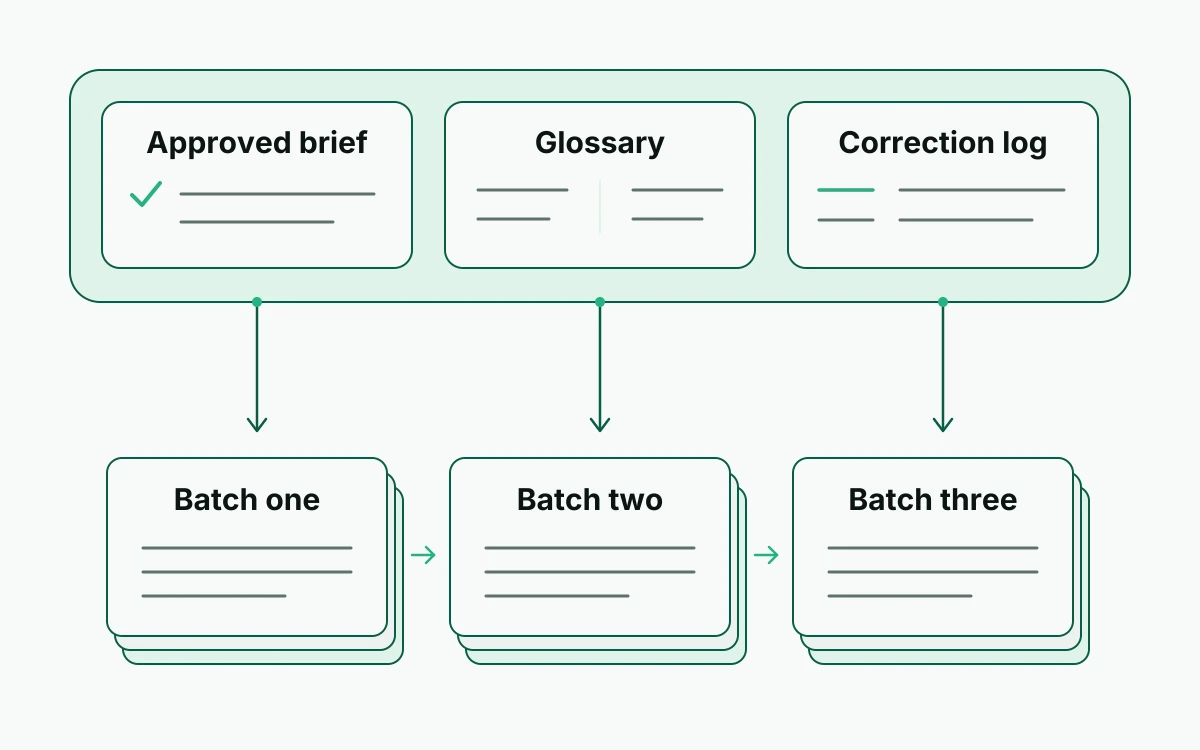
Small chunks can lose the connections between chapters, so we keep chapter boundaries intact where possible. When a chapter has to be split, each part gets a label and we note exactly where the source text stops.
Every batch goes through the same routine:
- Supply the current brief and glossary, with the approved names, terms and voice choices, plus the relevant context from earlier chapters.
- Record corrections before continuing. When we revise a name, term or phrase by hand, the approved choice goes into the shared record as well as into the translated paragraph.
- Track source coverage by marking each section as translated, reviewed or still pending, so that a retry doesn't leave a gap or duplicate a passage.
In the log for novel-es.epub, an entry could read: Chapter 2, opening through scene break — reviewed; retain Lucía, not Lucia. If an approved term changes later, earlier chapters get flagged for the same correction.
Deciding whether the translation is ready, before and after export
A reading copy is usable once the prose is complete and understandable, while study and publication call for stricter checks. Until it has been reviewed, we treat AI output as a draft, not something ready to publish.
Before downloading, we put the source and the translation side by side and correct what we find:
- Omissions and additions: match paragraphs, scene breaks and dialogue turns, so that nothing disappears and nothing appears without a source.
- Meaning: compare who did what, negatives, dates and relationships, because a fluent sentence can still reverse the point.
- Dialogue: check who is speaking and whether each character’s voice fits the scene and the agreed tone.
How closely we review depends on what the translation is for:
- Personal reading: some awkward phrasing may be tolerable, but missing events or unclear speakers are not.
- Study: verify every passage we plan to quote against the original, nearby context included, and treat the translated wording as a translation rather than the author’s exact words.
- Publication: arrange a full bilingual review and editorial revision. Owning a copy doesn't automatically grant translation-publication rights, and the requirements vary, so ask the rights holder.
After export, open the EPUB in an EPUB reader. If the book is headed for a Kindle, Send to Kindle converts and delivers the file, and we check the delivered copy. For novel-es.epub, that means chapter headings, paragraph breaks, dialogue spacing and navigation links, and the formatting may need rebuilding before the book is comfortable to read.
The production side is covered in our article on how to make a bilingual book. An audiobook can come later as an optional output, but producing one is no substitute for reviewing the translation.